RankinLLM QuickStart Guide
Get Visible in AI Search in Under 15 Minutes
Start Measuring Your Brand's AI Search Visibility
RankinLLM helps you understand how your brand shows up inside AI answers (ChatGPT, Claude, Gemini, Perplexity, etc.) and what to do to improve it. This guide walks you step-by-step through your first setup and first insights.
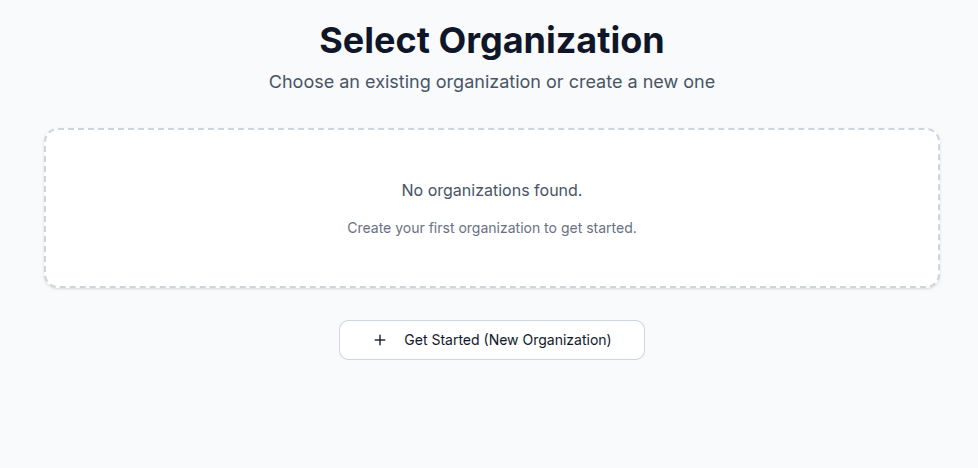
Step 0: Create Your Organization (1 minute)
- Click Get Started (New Organization)
- This is your workspace where all brands, prompts, and reports live
Think of this like creating a Google Analytics account — once done, everything else plugs into it.
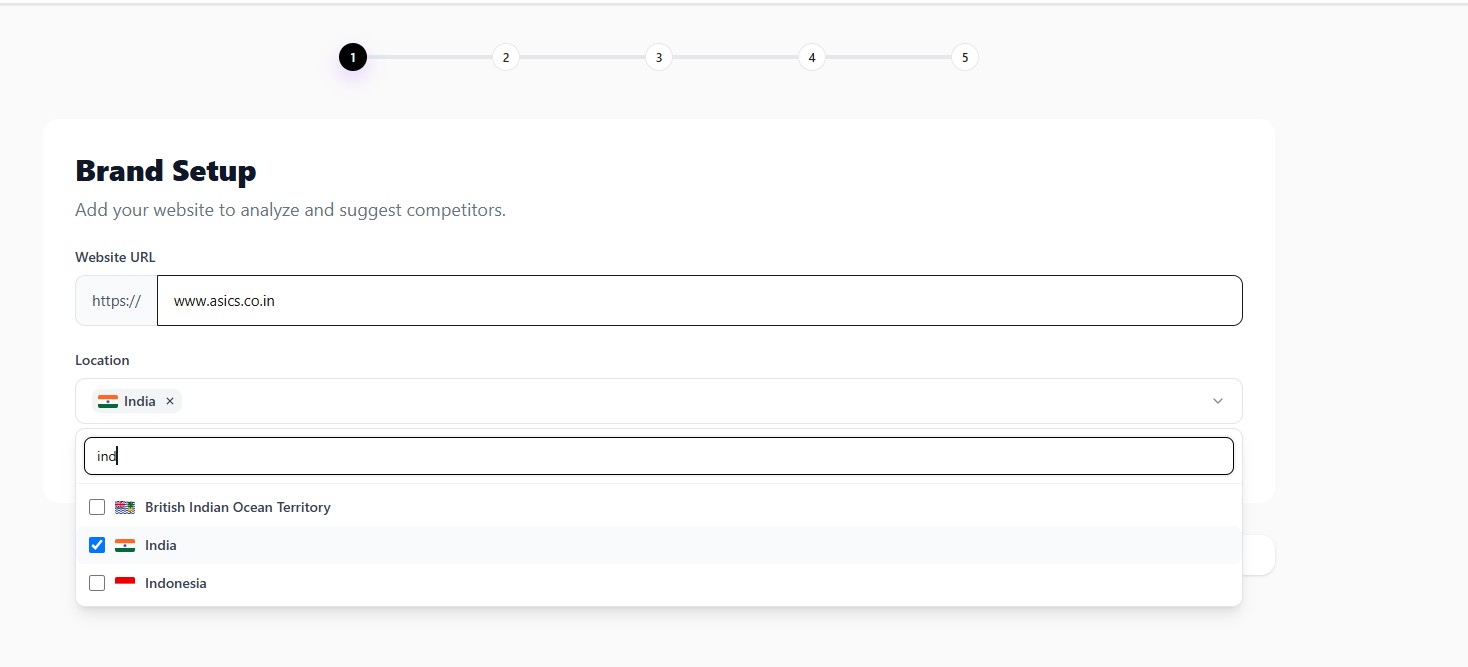
Step 1: Add Your Website (2 minutes)
- Enter your website URL (Example: https://www.asics.co.in)
- Select one or more target countries where you want to track your brand
- (Optional) Enable auto-join for teammates using the same email domain
- Click Continue
Track visibility across multiple countries
RankinLLM supports multi-country tracking, so you can monitor how your brand appears in AI search across each market you serve. Your selected countries are used to generate market-relevant competitors, prompts, and visibility insights during onboarding.
RankinLLM now knows which brand and markets it is tracking.
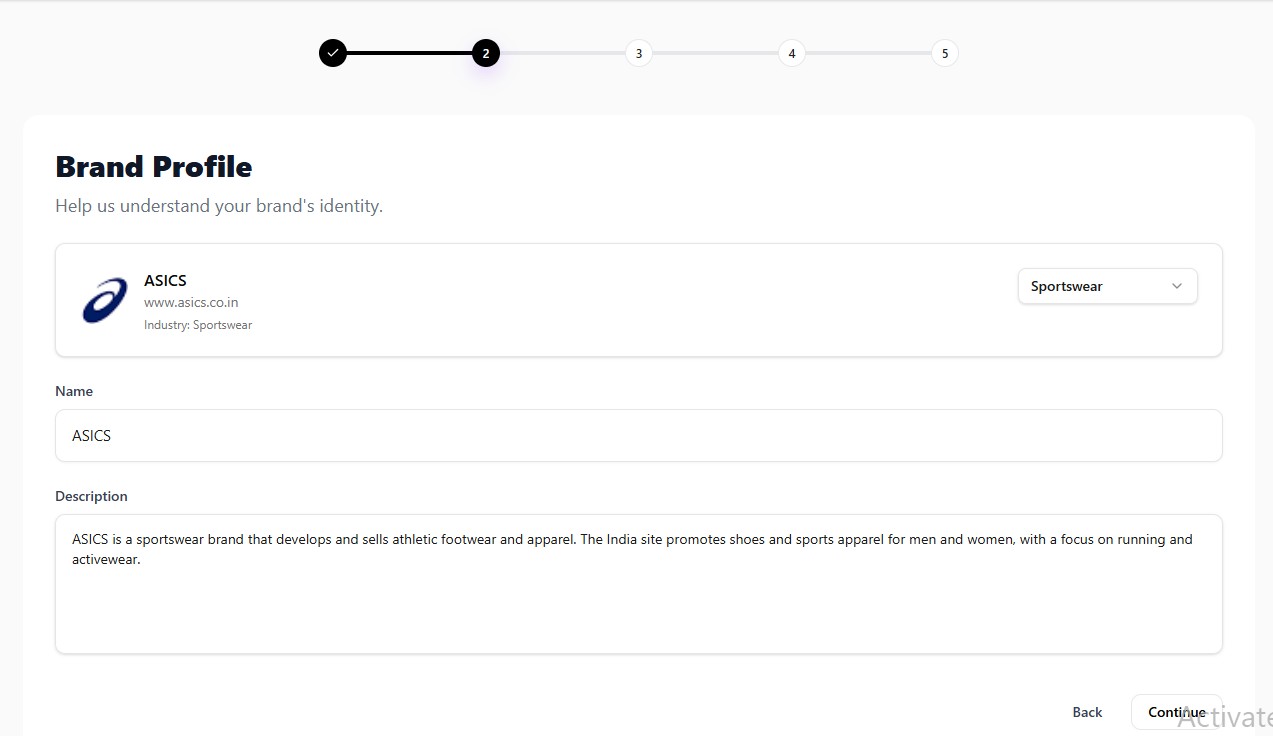
Step 2: Define Your Brand Profile (2 minutes)
Here you teach RankinLLM who you are, so AI models interpret your brand correctly.
Fill In:
- Brand Name (e.g., ASICS)
- Industry (e.g., Sportswear)
- Short Description: What you do, who you serve, key offerings.
Example: "ASICS is a sportswear brand that develops and sells athletic footwear and apparel. Its India site features shoes and sports apparel for men and women, with a focus on running and activewear."
This context is used across all AI model evaluations.
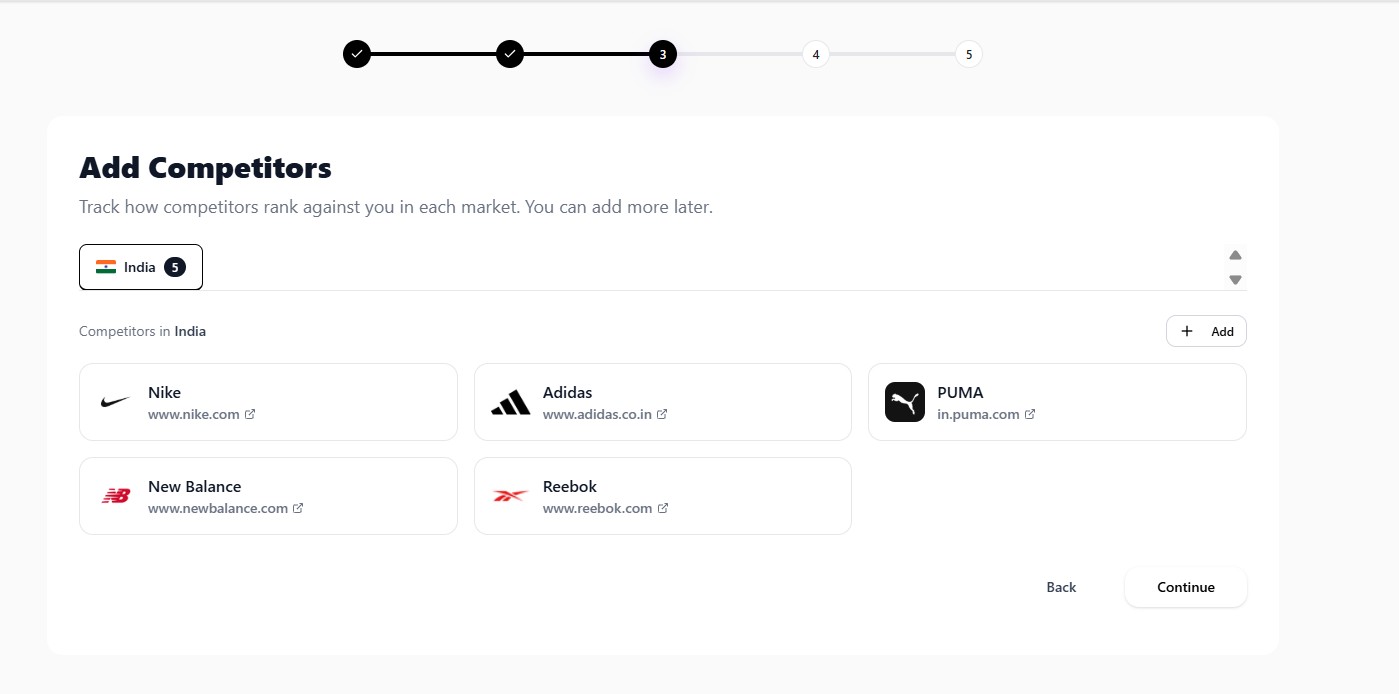
Step 3: Add Your Competitors (2 minutes)
- Add 3–5 competitors you want to track against
- RankinLLM compares who AI recommends instead of you
ASICS competitor examples:
- Nike — www.nike.com
- Adidas — www.adidas.co.in
- PUMA — in.puma.com
- New Balance — www.newbalance.com
- Reebok — www.reebok.com
This unlocks Share of Voice, replacement risk, and comparison prompts.
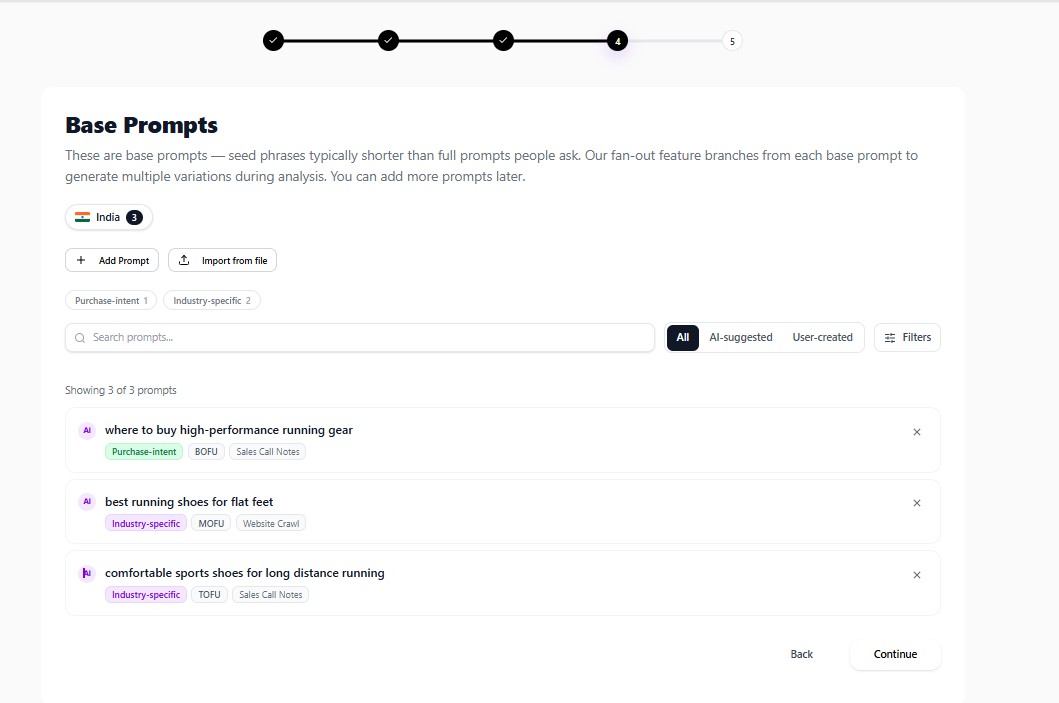
Step 4: Add Base Prompts (3 minutes)
Base prompts are seed questions people ask AI tools. You can write them manually, import them from a file, or generate relevant prompts from multiple first-party and competitive data sources.
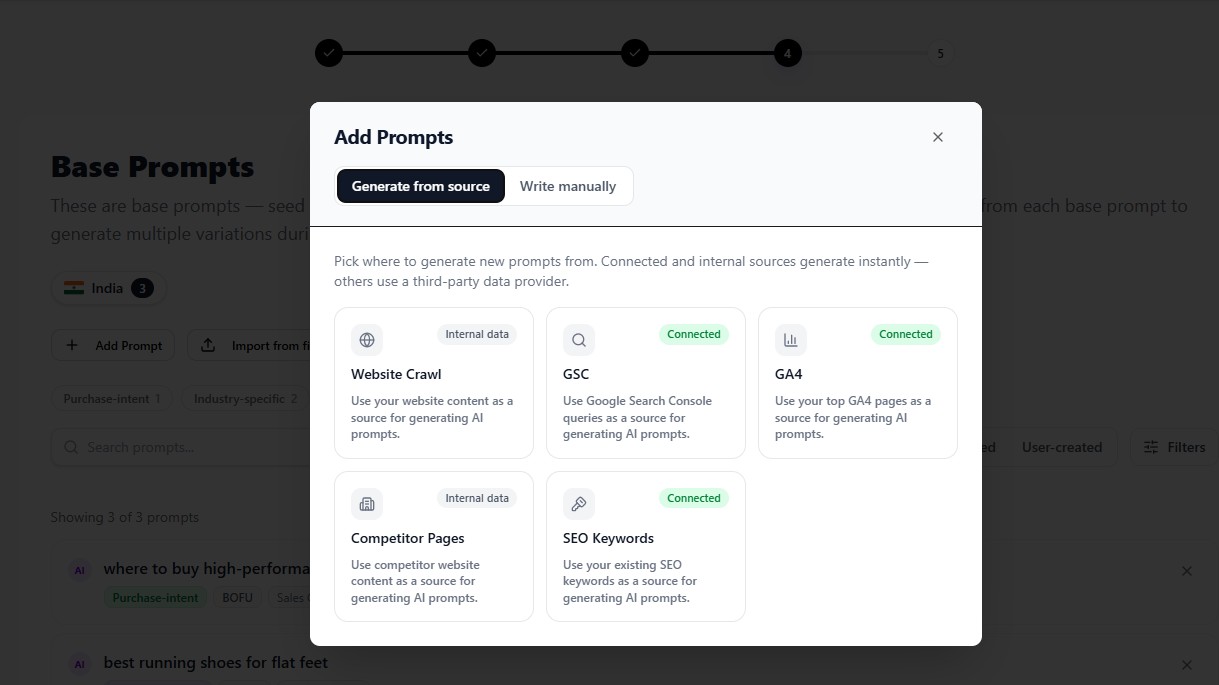
Generate prompts from the sources you already use
- Website Crawl: Enter a product or service page URL, or crawl your main website, to generate prompts from its content.
- Competitor Pages: Select a competitor and generate prompts from the products, services, and topics covered on its website.
- Google Search Console: Convert real search queries into prompts that reflect existing demand.
- GA4 (Google Analytics): Generate prompts from your most important landing pages.
- SEO Keywords: Select suggested or manual keywords and generate related long-tail prompts.
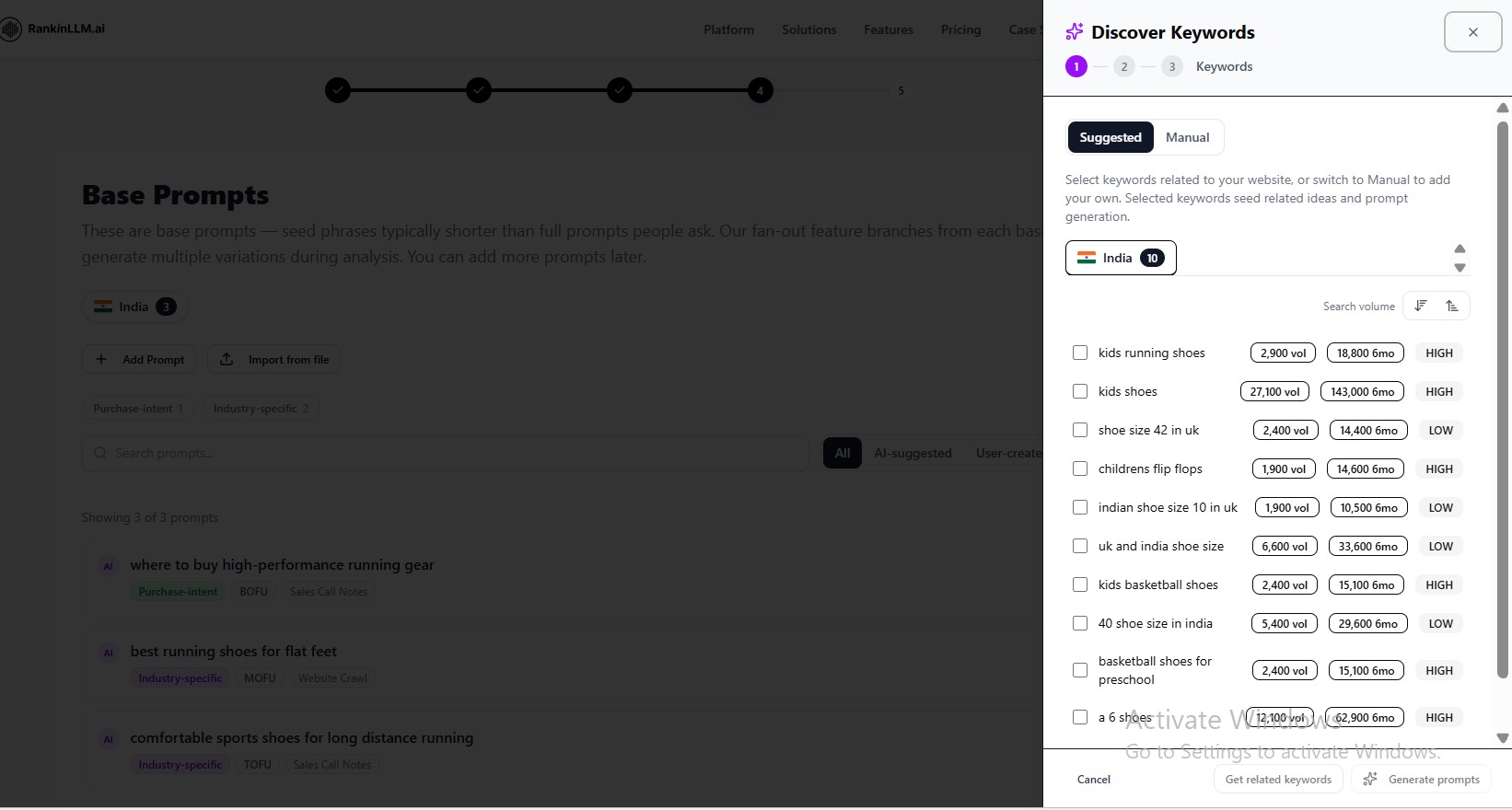
Generate long-tail prompts from SEO keywords
- Open Add Prompt and choose SEO Keywords.
- Select suggested keywords for a country, or add your own keywords manually.
- Review search-volume and competition signals to choose useful topics.
- Click Generate prompts to create natural, long-tail questions from the selected keywords.
Tip: Combine multiple sources and prioritize non-branded, buyer-intent prompts for broader coverage.
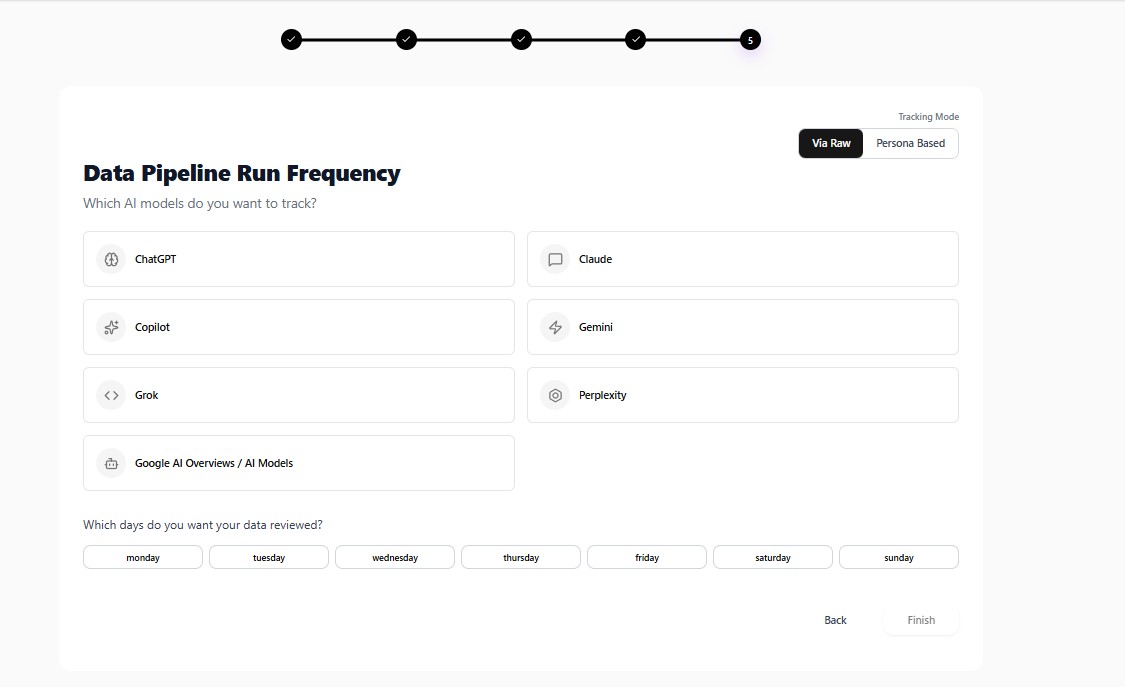
Step 5: Choose AI Models & Schedule (1 minute)
Select which AI models you want to track (ChatGPT, Claude, Gemini, Copilot, Grok, Perplexity) and choose your review schedule (Daily or Weekly).
Choose a tracking mode
In SEO and GEO, a persona is a representative searcher or buyer profile defined by context such as their role, goals, pain points, constraints, awareness level, decision style, industry, company size, and region. It helps measure how AI answers the same topic for different audience needs, not only for a generic query.
Raw Prompt
Runs the saved prompt exactly as written. Use this for a clean baseline, consistent comparisons, and direct tracking of a known query across AI models.
Persona Based
Adds relevant audience context before running the prompt. Use this to understand how recommendations, citations, and brand visibility change for different buyer roles, needs, markets, and funnel stages.
Persona-based tracking is available on eligible paid plans. You can switch tracking modes later as your measurement strategy evolves.
RankinLLM will now continuously monitor your AI visibility.
Step 6: Run Your First Analysis (Automatic)
Once setup is complete, RankinLLM runs your prompts across models, captures AI responses, and detects brand mentions, competitors, and sentiment.
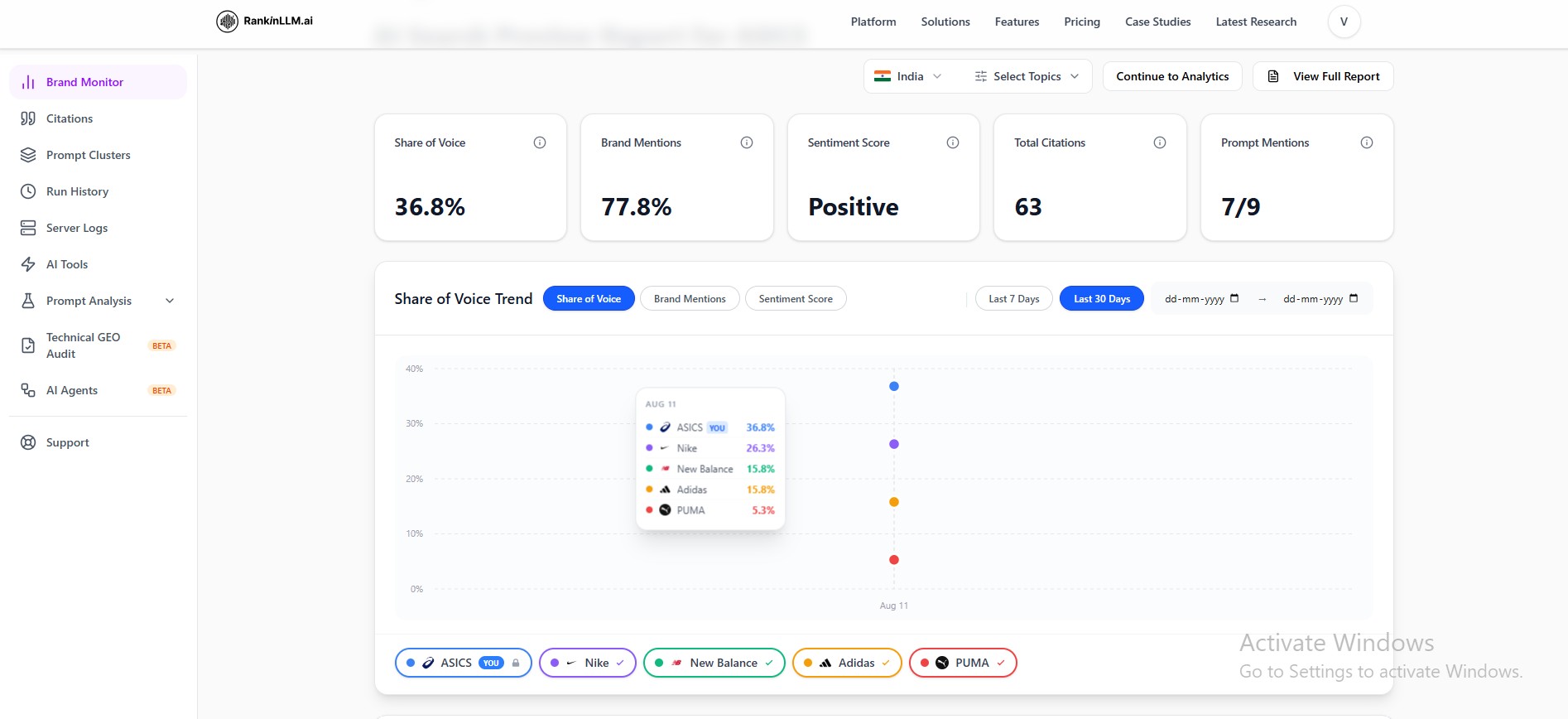
Step 7: Understand Your Dashboard
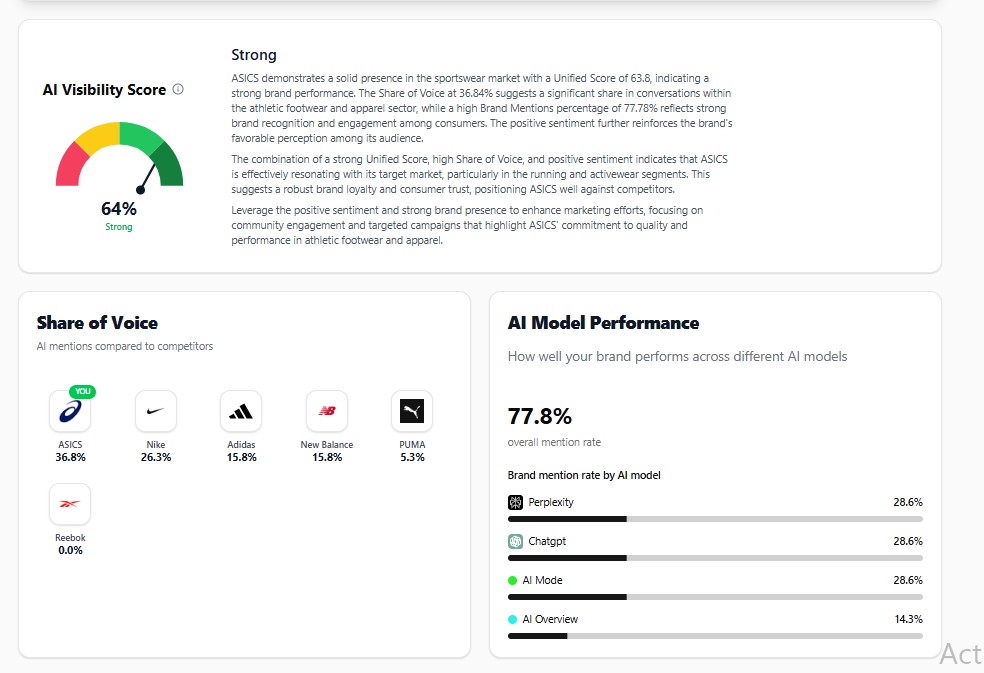
1. Brand Monitor
Review your AI Visibility Score, share of voice, and performance across AI models.
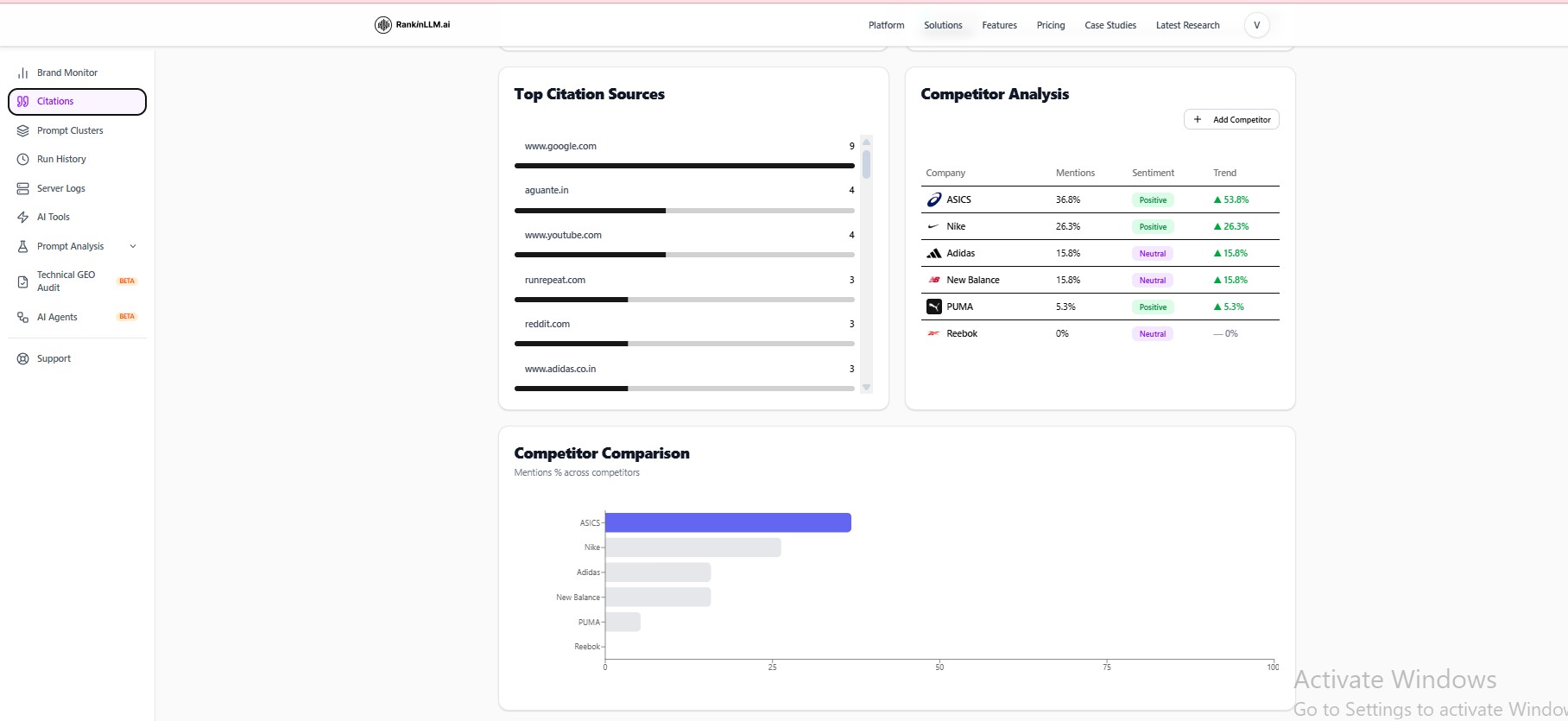
2. Citations & Competitors
See the sources AI models cite and compare your visibility with competitors.
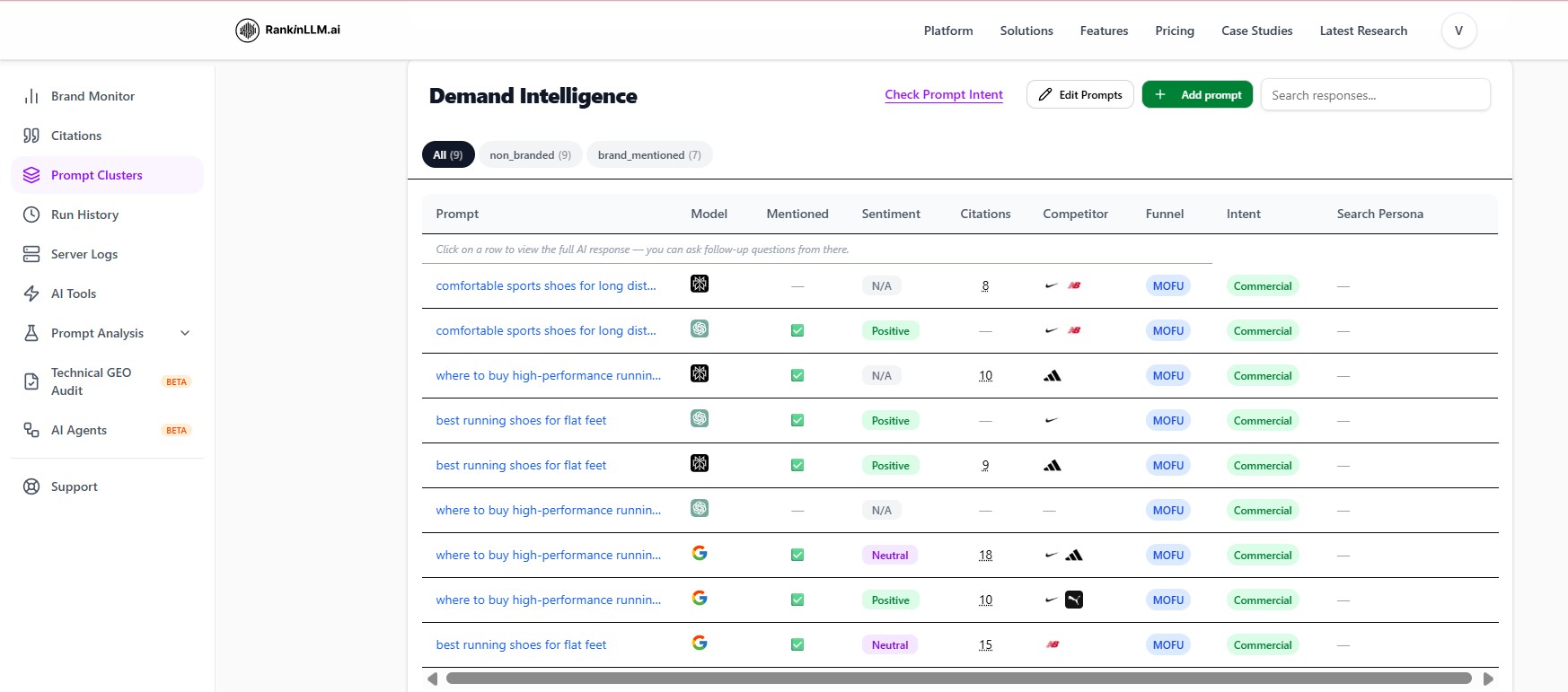
3. Prompt Clusters
Compare prompt results by model, mention, sentiment, citations, funnel stage, and intent.
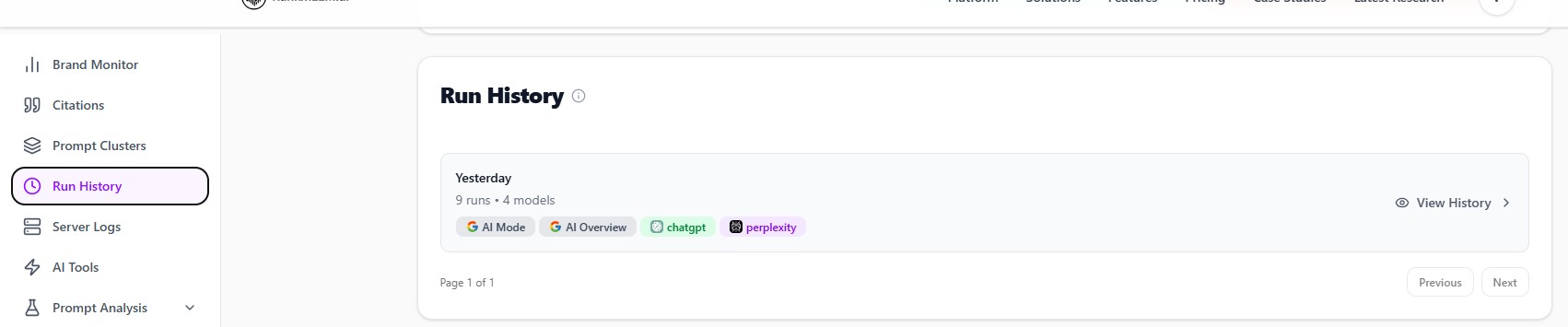
4. Run History
Review completed runs and open their detailed results.
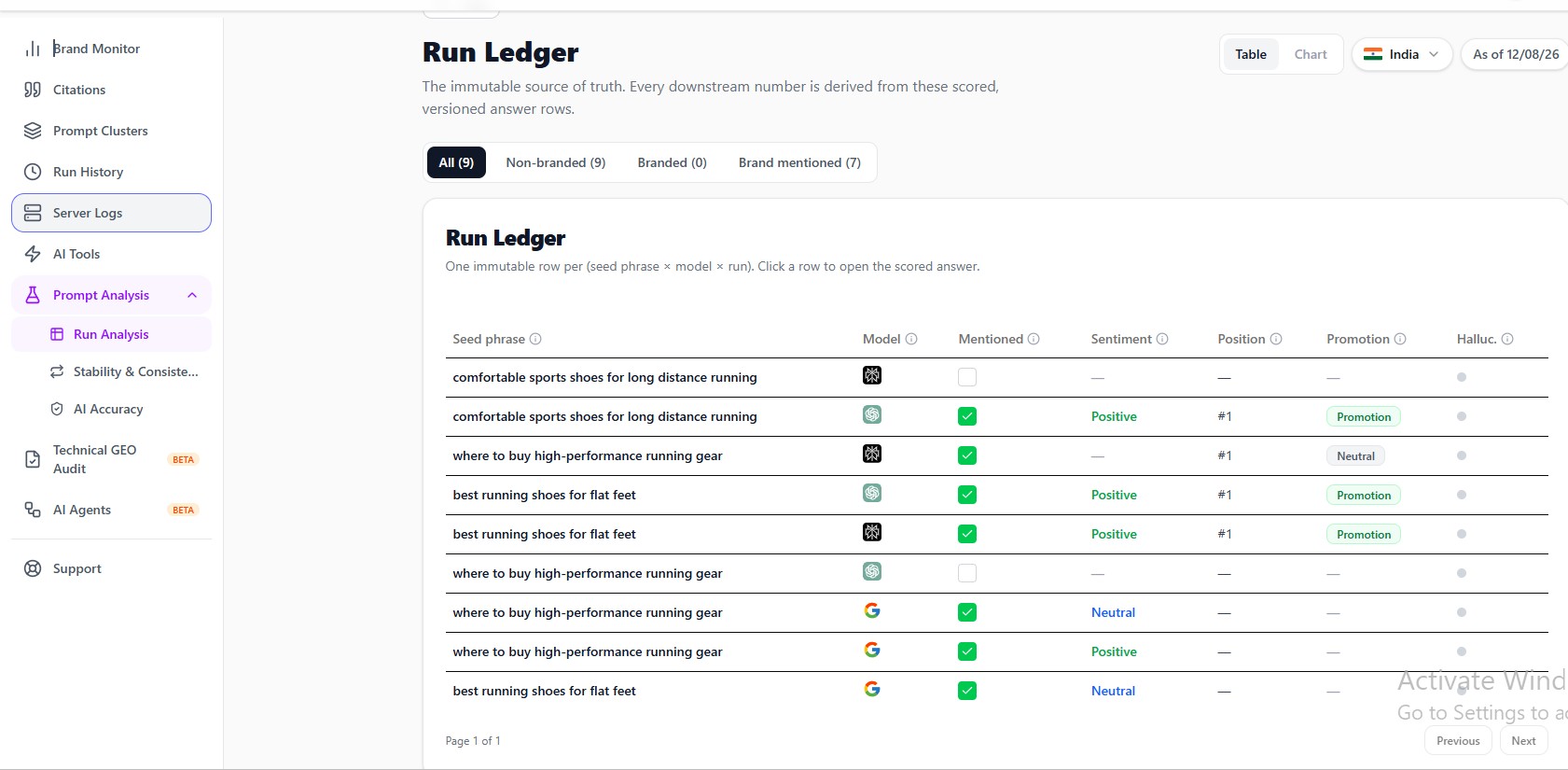
5. Prompt Analysis
Inspect each scored response in the Run Ledger.
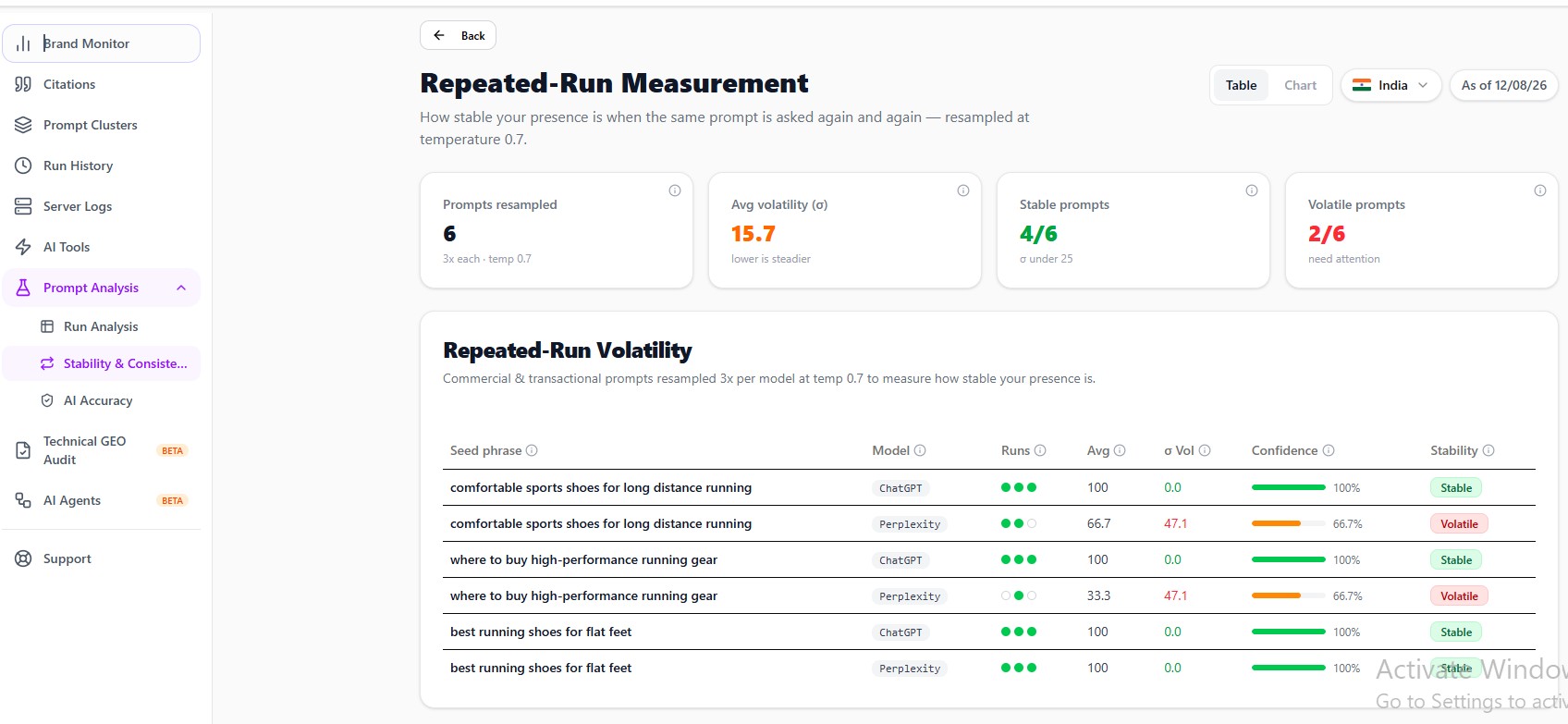
Stability & Consistency
Measure how consistently AI models answer the same prompts across repeated runs.
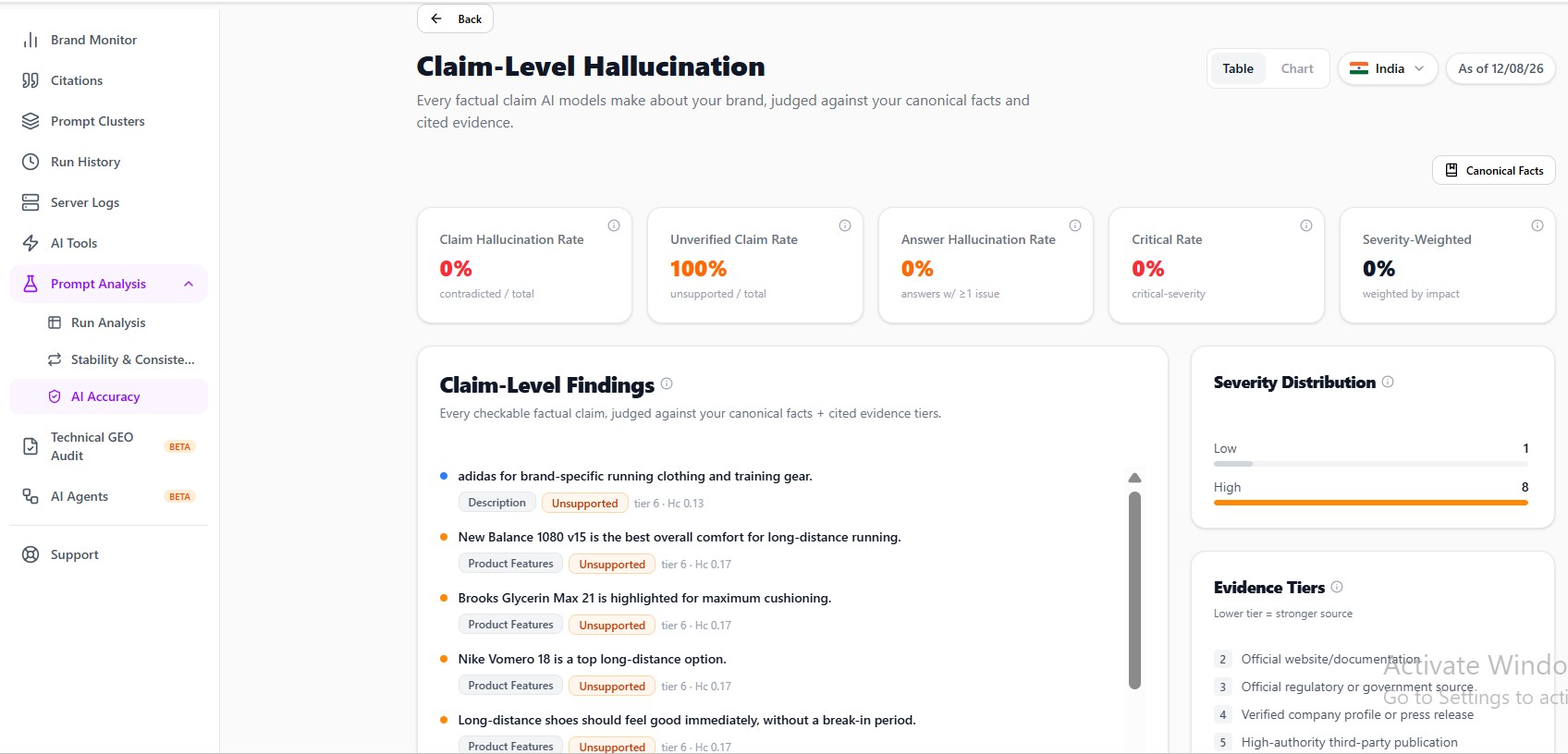
AI Accuracy
Check AI claims against your canonical facts and cited evidence.
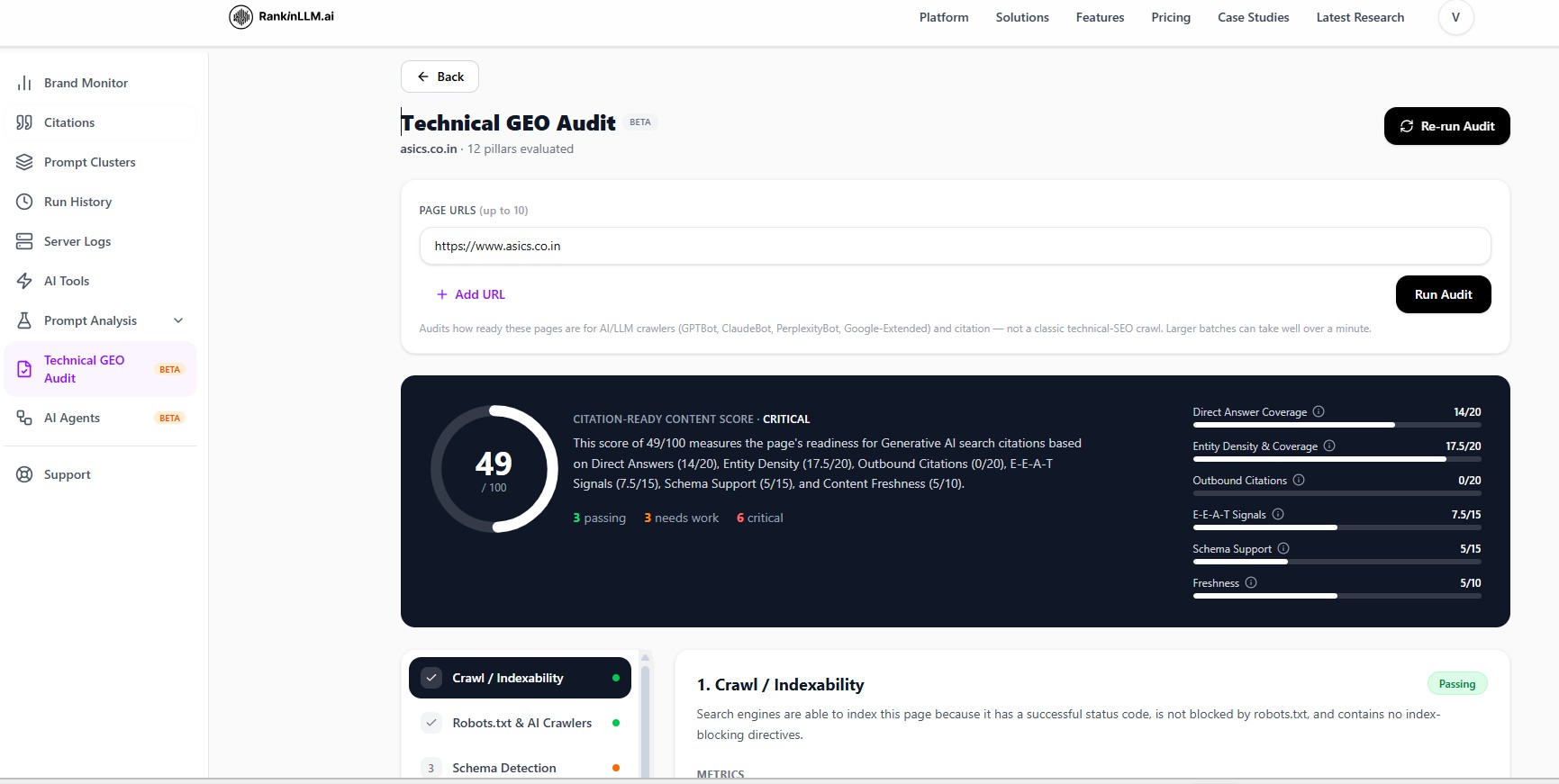
6. Technical GEO Audit
Audit your website's technical readiness for AI search and uncover issues that may prevent AI models from crawling, understanding, or citing your content.
Step 8: AI Agents (Beta)
Two Intelligent Agents. One Complete Picture.
Run a sequential analysis pipeline that audits your brand's AI visibility and benchmarks you against competitors — all in one flow.
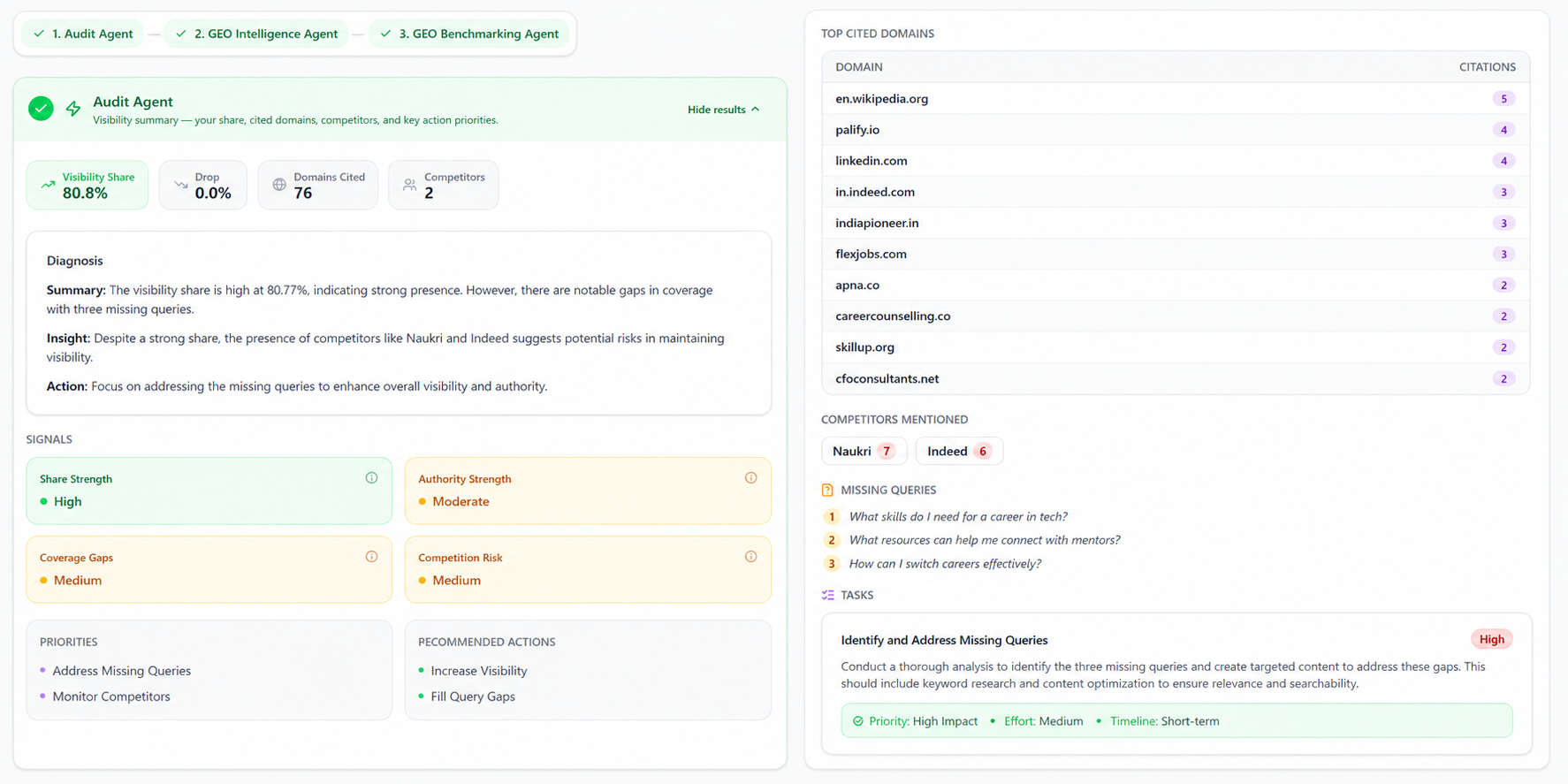
Audit Agent
Analyzes your brand's visibility and share across AI-powered search results. Surfaces top cited domains, competitor presence, and priority actions.
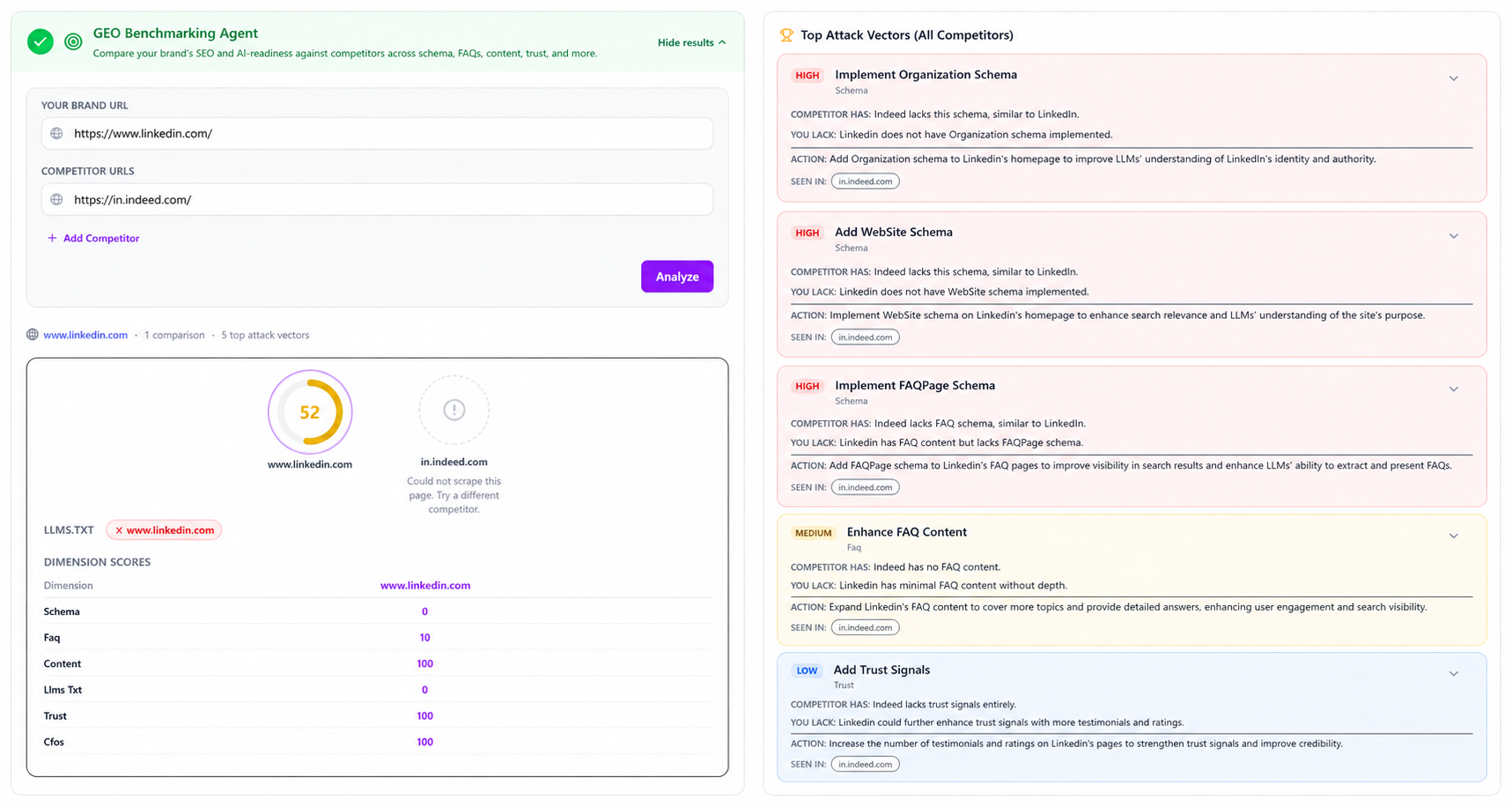
GEO Benchmarking Agent
Compares your brand against up to 5 competitors across dimensions like schema, FAQs, and llms.txt presence. Highlights your attack vectors.
How the AI Agent Flow Works
Visibility → Competitive Advantage
Step 9: Use AI Content Optimization Tools (Power Features)
These tools convert insights into action.
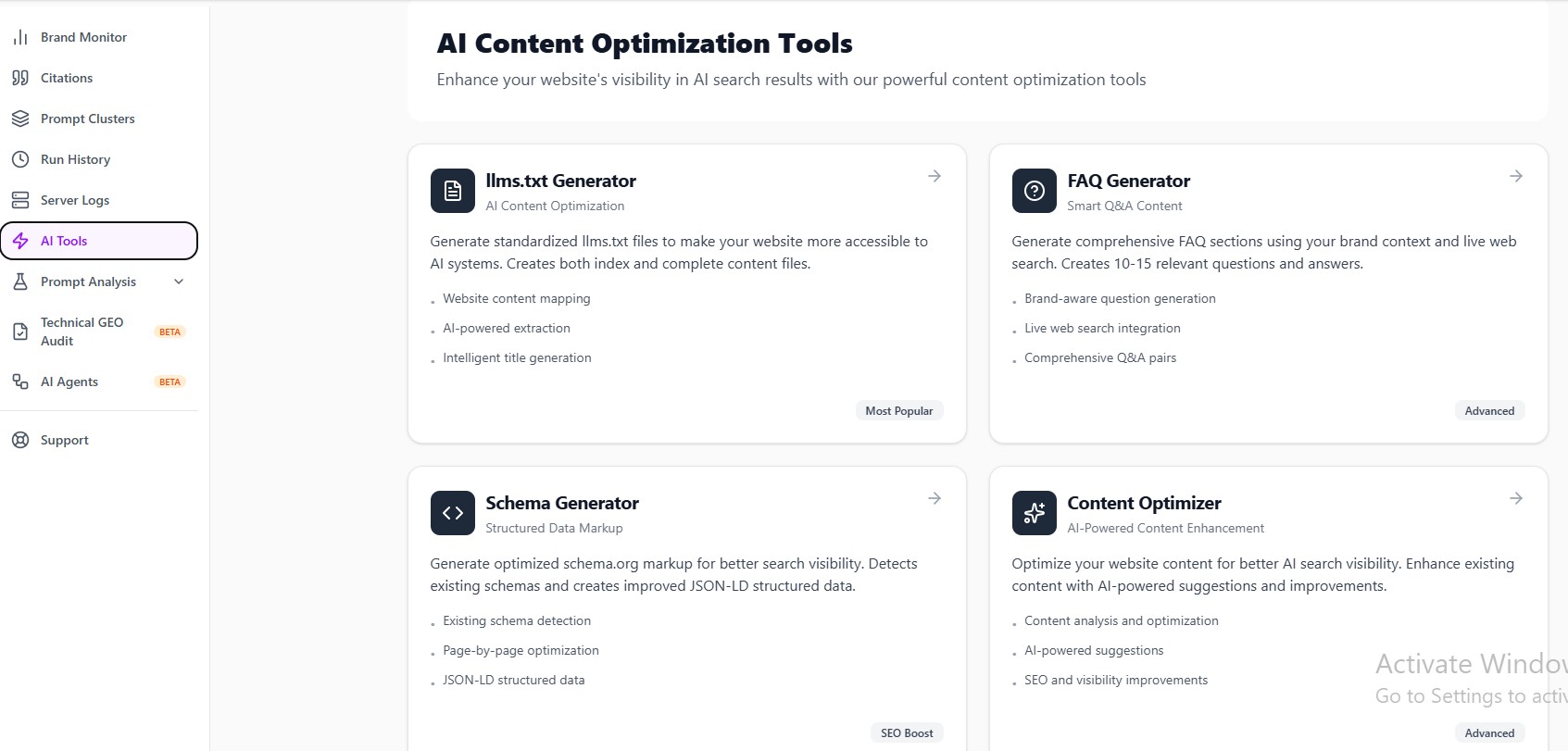
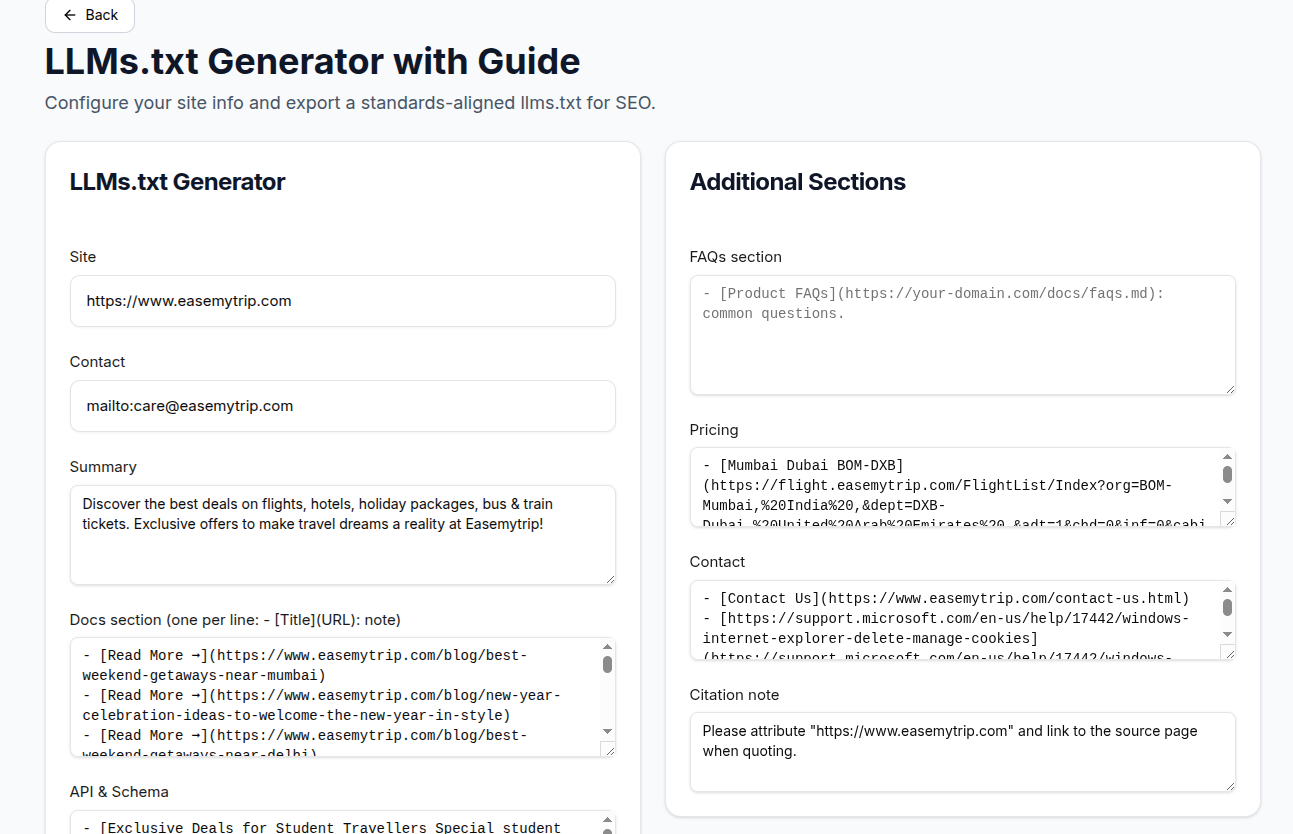
llms.txt Generator
Creates AI-friendly content maps to help AI models crawl your site better.
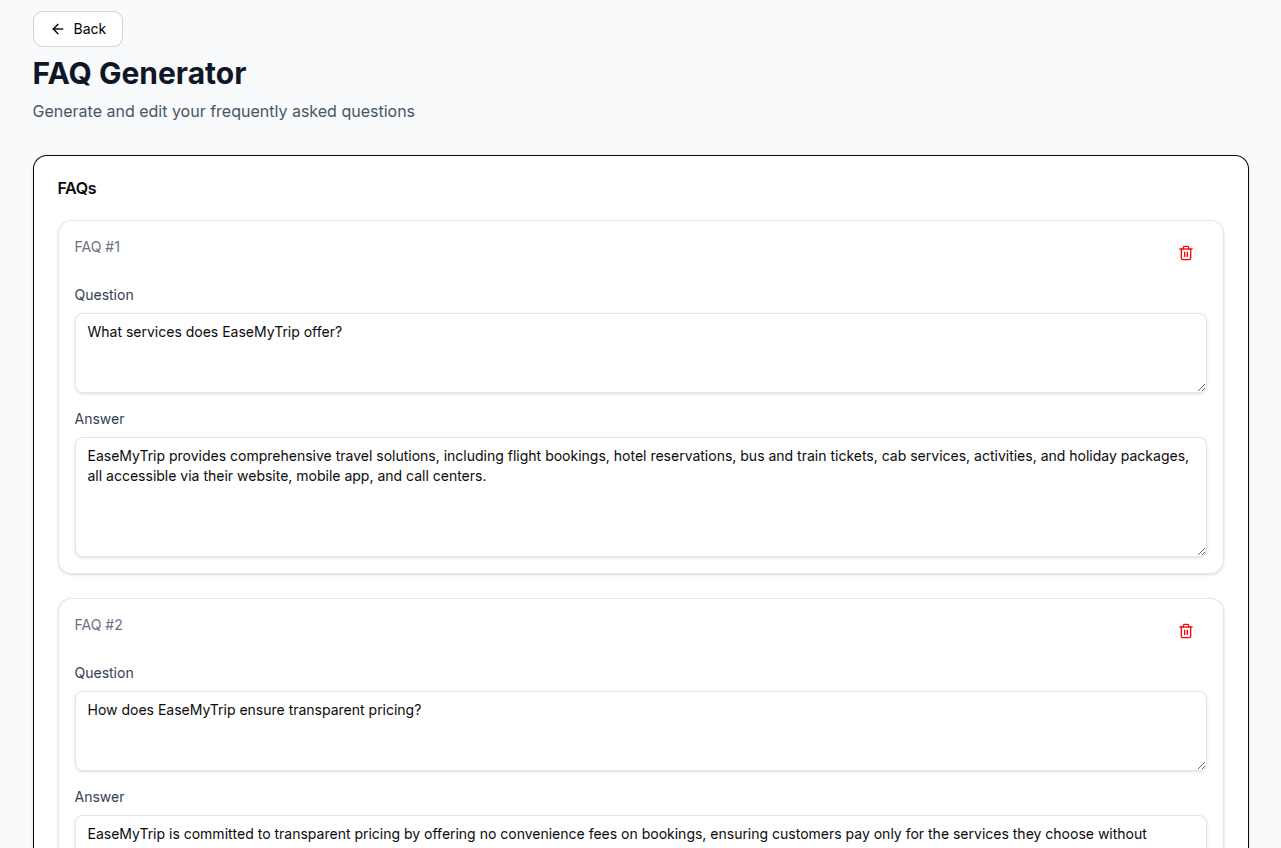
FAQ Generator
Generates page-specific AI-optimized FAQs using real AI search behavior, semantic intent, and content context.
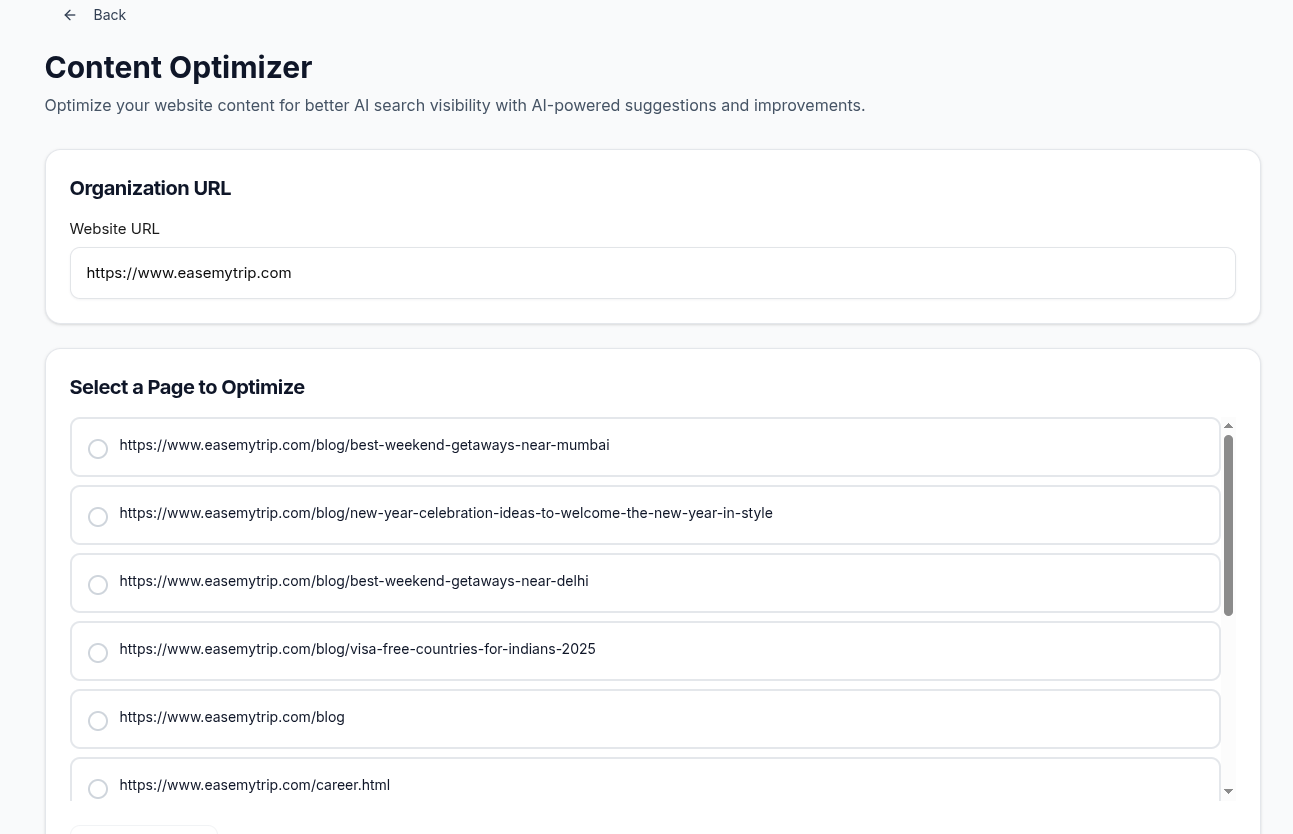
Content Optimizer
Improves existing pages by suggesting AI-visibility improvements.
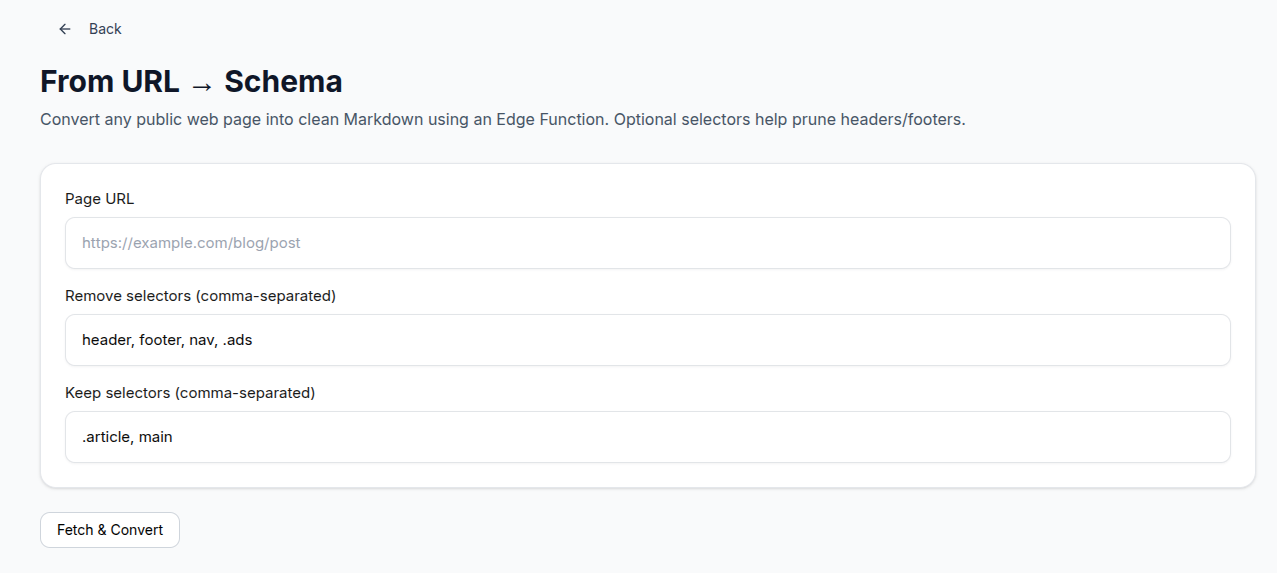
Schema Generator
Improves structured data (JSON-LD) to make your content easier for AI to interpret.
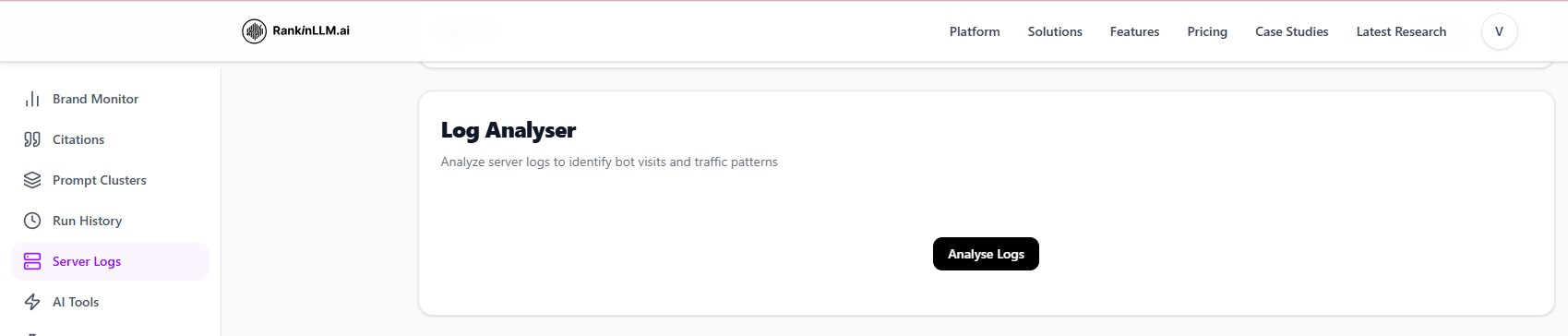
Step 10: Analyze Server Logs
- Upload server logs
- Detect AI bot visits
- Understand crawl behavior from AI systems
What to Do in Your First Week
- Day 1: Complete setup & Review Responses Heatmap
- Day 2–3: Identify missing attributes & Generate FAQs schema
- Day 4–5: Update key pages & Improve AI-readability
- Day 7: Re-run analysis & Compare visibility changes
Step 11: Connect Google Search Console & GA4
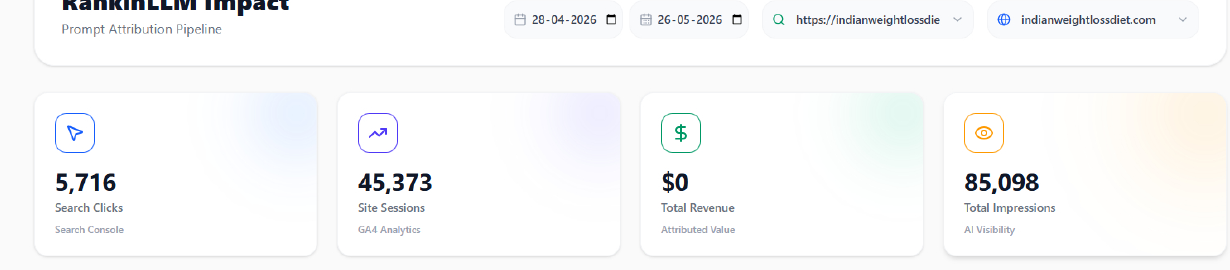
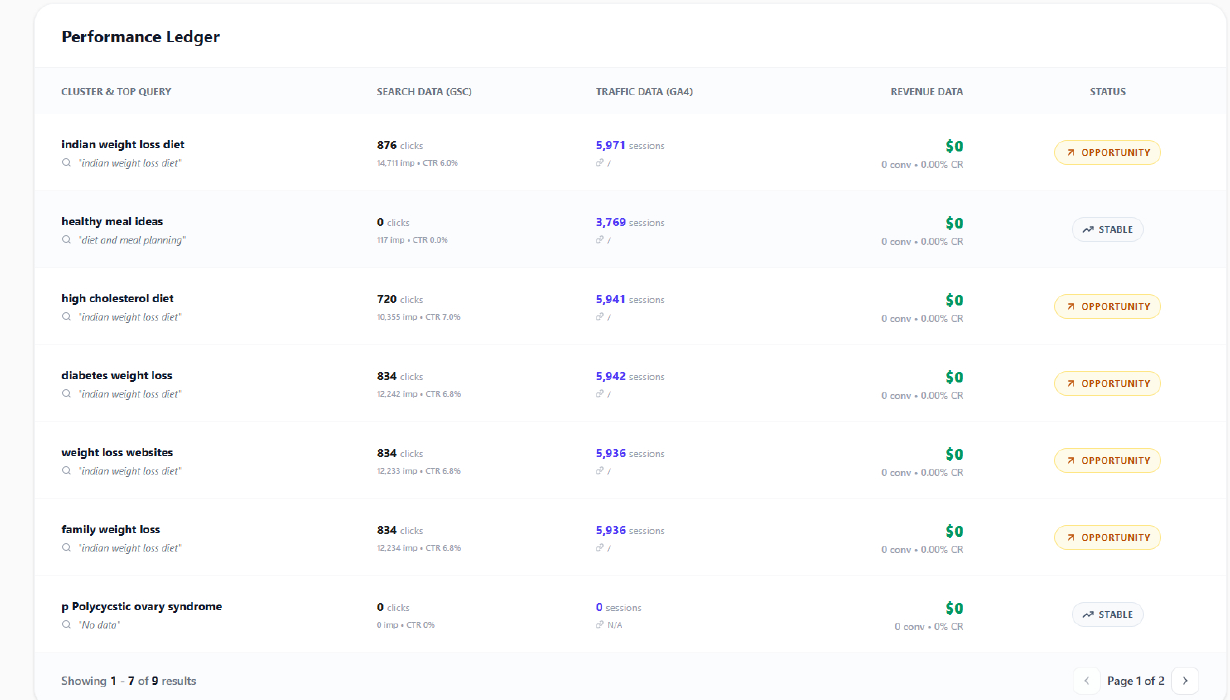
Connect Google Search Console and GA4 (Google Analytics) to understand how AI visibility impacts your real search traffic, engagement, and conversions.
Google Search Console
- Track clicks, impressions, CTR, and keyword visibility
- Understand which pages AI visibility is improving
- Discover top-performing search queries
- Measure search growth over time
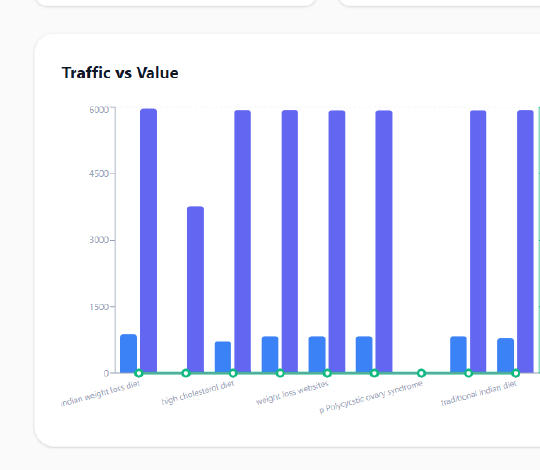
GA4 (Google Analytics)
- Track organic sessions and user engagement
- Measure conversions from AI-assisted traffic
- Understand user behavior across landing pages
- Monitor growth from AI search discovery
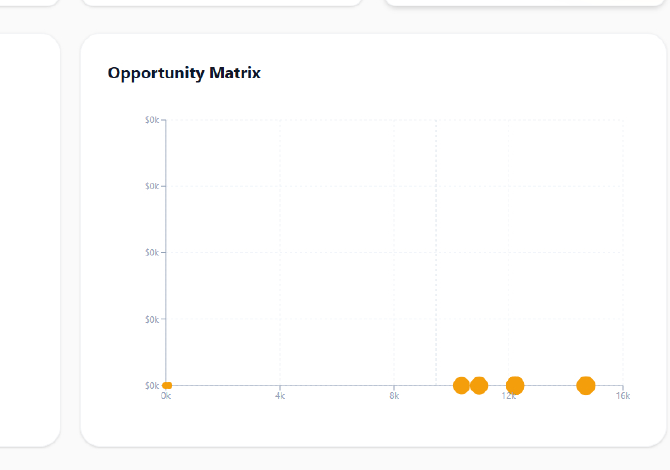
Why This Matters
AI visibility alone is not enough. RankinLLM connects your AI search presence with real business outcomes like traffic, engagement, and conversions.
This helps you understand whether your AI optimization efforts are actually generating measurable growth.
Setup Process
Open the Integrations section inside RankinLLM.
Connect your Google account securely.
Select your Search Console property and GA4 property.
RankinLLM automatically syncs traffic and analytics insights.
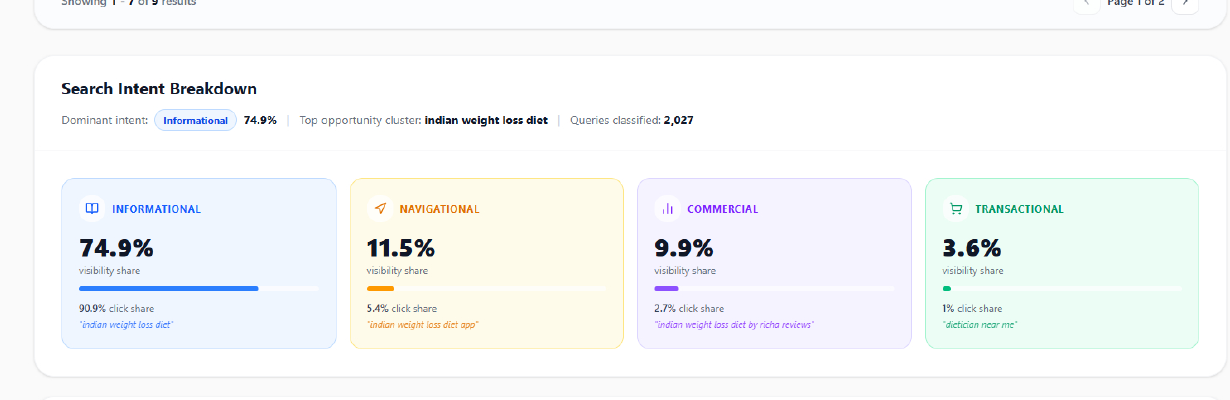
Search Intent Breakdown
Step 12: Understand Where AI Is Getting Its Information From (Top Citation Sources)
This shows which websites AI models trust most when answering questions in your category.
Example sources:
- Wikipedia
- Media sites (India Today, travel blogs)
- Review platforms
- Aggregators
How to read this: Higher bars = AI relies on that source more. If your own website is missing or low, AI is telling your story through others.
Why this matters: AI recommendations are citation-driven, not opinion-driven. Move from "AI talks about us via others" → "AI cites us directly".
Step 13: Competitor Analysis (Who AI Prefers Today)
For each competitor, RankinLLM shows: % of AI mentions, Sentiment (Positive/Neutral/Negative).
Example:
- MakeMyTrip 47.8%
- ixigo 33.7%
- Goibibo 32.6%
How to interpret this: These are AI preference scores, not Google rankings. A higher % means AI recommends them more often.
Insight: If competitors are ahead, it's usually because of broader content coverage, stronger citation networks, and better structured information. This is not about ads or backlinks, it's about AI trust.
Step 14: Your Core AI Visibility Metrics (The 4 Numbers That Matter)
1. Share of Voice (CSOV)
Example: 17.6%. This means out of all AI answers in this category, your brand appears in 17.6% of them.
- Below 20% = weak authority
- 30–40% = competitive
- >50% = category leader
2. Brand Mentions
Example: 35.9%. This tells you how often AI mentions your brand (not necessarily recommends it).
High mentions + low Share of Voice = incidental visibility, not authority.
3. Sentiment Score
Example: Neutral. This means AI is not advocating strongly, but also not warning users. Neutral sentiment is safe, but not persuasive.
4. Total Citations
Example: 255. This shows how often your brand appears as a reference across all prompts and models. Low direct citations = dependency on third-party sites.
Step 15: Trends
RankinLLM shows trends over time so you don't rely on one snapshot.
- Sentiment Trend: Lines typically represent Positive, Neutral, Negative mentions. If neutral is rising but positive is flat → AI knows you exist but doesn't endorse you yet.
- Brand Mentions Trend: Falling line = losing mindshare. Flat line = stagnant. Rising line = expanding coverage. This tells you if your content updates are working.
- Share of Voice Trend: This is the single most important chart. If this is flat or declining → competitors are becoming more authoritative, even if your content is improving.
Step 16: Content Optimizer (Turn Insights Into Fixes)
This is where RankinLLM becomes actionable.
What you do:
- Enter your website URL
- Select a page (blog, landing page, category page)
- RankinLLM analyzes semantic gaps, missing entities, weak explanations, AI-readability issues.
Output: What AI expects but doesn't find, What competitors explain better, What sections to add or restructure.
This is AI-first optimization, not SEO keyword stuffing.
Step 17: llms.txt Generator (Teach AI How to Read Your Site)
This creates a standardized file that explains your site structure to AI systems, highlights important docs, FAQs, pricing, APIs, and improves direct citations.
- Summary of your site
- Docs/blog links
- FAQs
- Pricing routes
- Contact info
- Citation instructions
Why this matters: AI models don't crawl like Google. This file acts as "Here's how to understand and trust our website."
Step 18: Full Report (Executive-Level Intelligence)
This is a ready-to-share strategy report, not raw data.
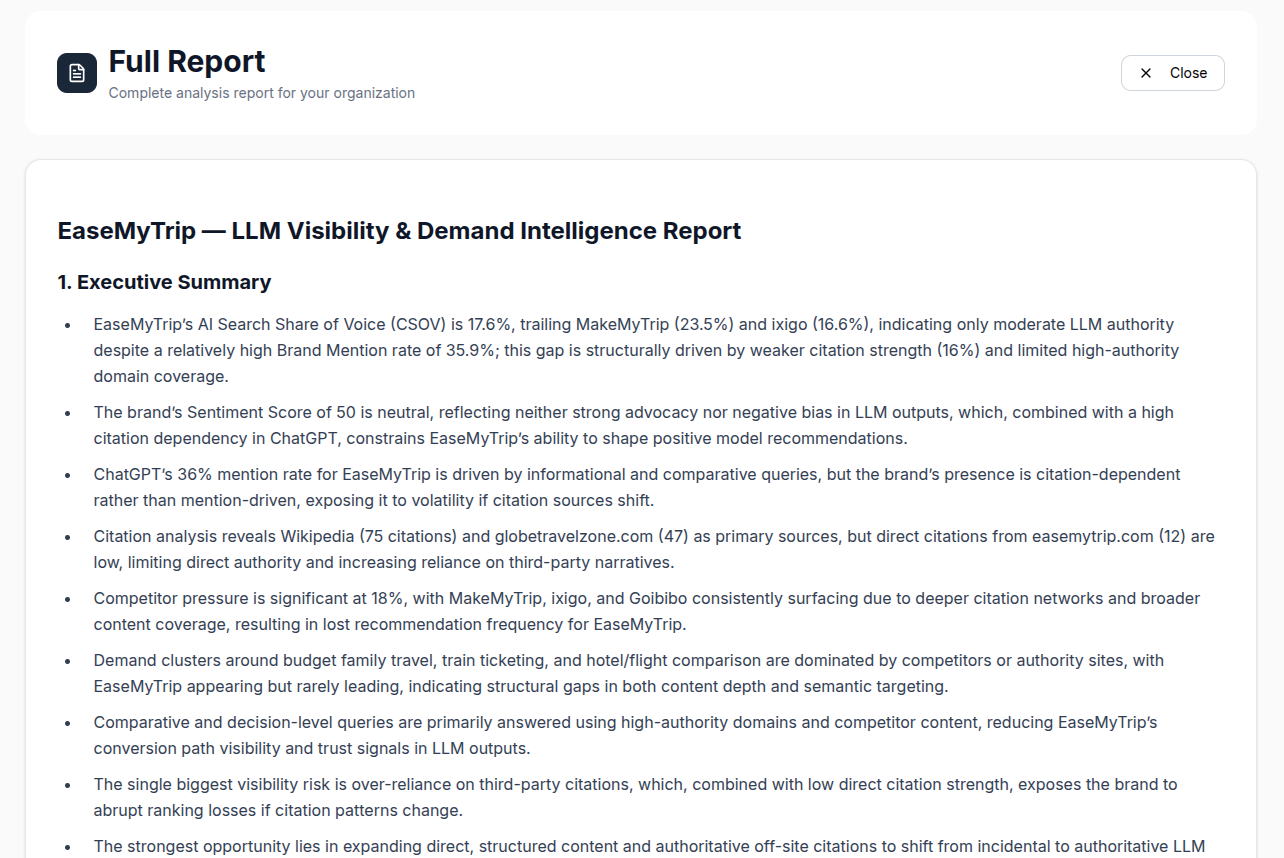
Includes:
- Executive summary
- AI Share of Voice comparison
- Citation dependency risks
- Competitor dominance zones
- Demand clusters you're losing
- Clear opportunity areas
Example insights: Over-reliance on Wikipedia/third-party blogs, Weak direct citations from your own domain, Competitors winning decision-level queries, High visibility but low authority conversion.
This report is boardroom ready.
How to Use RankinLLM in Real Life
Weekly (30 minutes)
Check Share of Voice, Scan new competitor mentions, Review citation sources.
Monthly
Optimize 3–5 pages, Expand FAQs, Improve structured content.
Quarterly
Review full report, Identify new demand clusters, Adjust content roadmap.